
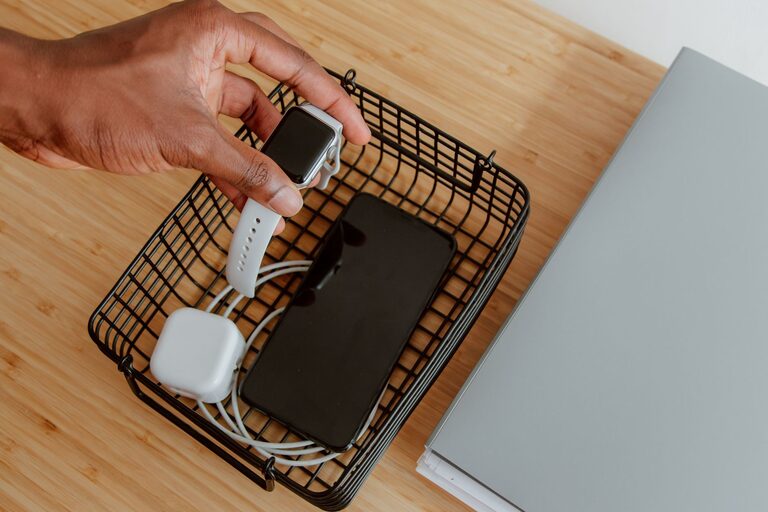
Setting up a dedicated charging station for your devices can make a big difference in keeping your home organized and ensuring that all your gadgets are ready to use when you need them. Whether you have smartphones, tablets, wireless headphones, or smartwatches, a well-planned charging station helps you avoid clutter and tangled cords. This guide will walk you through everything you need to know to create a functional and stylish charging station right at home.
Why Create a Charging Station?
Many of us deal with multiple devices that need charging throughout the day. Without a specific place to charge them, cords and chargers often end up scattered, creating mess and confusion. A charging station helps by:
– Centralizing your charging needs in one spot
– Reducing clutter and tangled cables
– Protecting your devices from accidental damage
– Making it easier to keep track of your gadgets
Choosing the Right Location
The first step is deciding where to set up your charging station. Consider the following:
– Accessibility: Choose a place near a power outlet where you or family members can easily reach.
– Visibility: A common area, like the living room, kitchen counter, or home office, works well.
– Safety: Avoid locations near water sources or where cords could cause tripping hazards.
Essential Supplies for Your Charging Station
Gathering the right supplies ensures your charging station is practical and neat. Here’s what you might need:
– Charging Hub or Multi-Port USB Charger: Instead of using separate chargers for each device, a charging hub can power multiple devices at once.
– Power Strip with Surge Protector: Provides extra outlets and protects your devices from power surges.
– Cable Organizers: Use clips, sleeves, or boxes to manage cords and keep them from tangling.
– Stands or Holders: Device stands keep phones or tablets upright and accessible while charging.
– Storage Tray or Box: Organizes smaller accessories like earbuds, chargers, or adapters.
– Labeling Supplies: Small labels help identify which cable or port belongs to a specific device.
Step-by-Step Setup Guide
Step 1: Clear and Clean Your Chosen Space
Start with an empty surface. Wipe down the area to remove any dust or debris. This gives you a clean canvas for your charging station.
Step 2: Position Your Power Sources
Place your surge protector or power strip near the wall outlet, and plug in your multi-port charger. Make sure cords have enough length to reach the devices comfortably without causing tension.
Step 3: Organize Your Cables
Use cable clips or ties to bundle cables neatly. If your station is on a desk or shelf, attach clips along the edge to keep cables accessible but tidy.
Step 4: Arrange Device Holders or Stands
Set up stands for phones, tablets, or other gadgets. This helps keep devices visible and prevents them from getting scratched or buried under other items. Some charging stations come with built-in stands or slots for devices.
Step 5: Add Storage for Accessories
Use a small tray or box to hold extra charging cables, adapters, or wireless earbuds. Keeping these items contained prevents clutter.
Step 6: Label Your Cables and Ports
Labeling cables or ports can save time and avoid confusion, especially if multiple people use the charging station. You can use simple stickers or write directly on cable sleeves.
Tips for Maintaining Your Charging Station
– Regularly declutter: Remove devices or accessories you no longer use.
– Check cables for wear: Replace frayed or damaged cords to avoid hazards.
– Keep the area dust-free: Wipe down surfaces and wipe cables every few weeks.
– Update chargers as needed: Technology changes, so having current chargers ensures faster and safer charging.
Optional Enhancements
If you want to take your charging station to the next level, consider these upgrades:
– Wireless Charging Pads: Ideal for compatible smartphones and earbuds, reducing cable clutter further.
– Built-in USB Ports in Furniture: Some desks, nightstands, and tables come with integrated charging ports for convenience.
– Decorative Touches: Add a small plant, photo frame, or decorative tray to make your charging station visually appealing.
– Smart Power Strips: These allow you to control power to individual outlets remotely or set timers to save energy.
Conclusion
Creating a charging station for your devices is a practical way to stay organized and keep your gadgets ready to go. By choosing the right location, gathering essential supplies, and organizing cables and devices thoughtfully, you can design a functional space that suits your needs. With a little upfront effort, your charging station will simplify daily routines and reduce clutter around your home or office.
Start small, adjust as needed, and enjoy the convenience of a neat, efficient charging station!